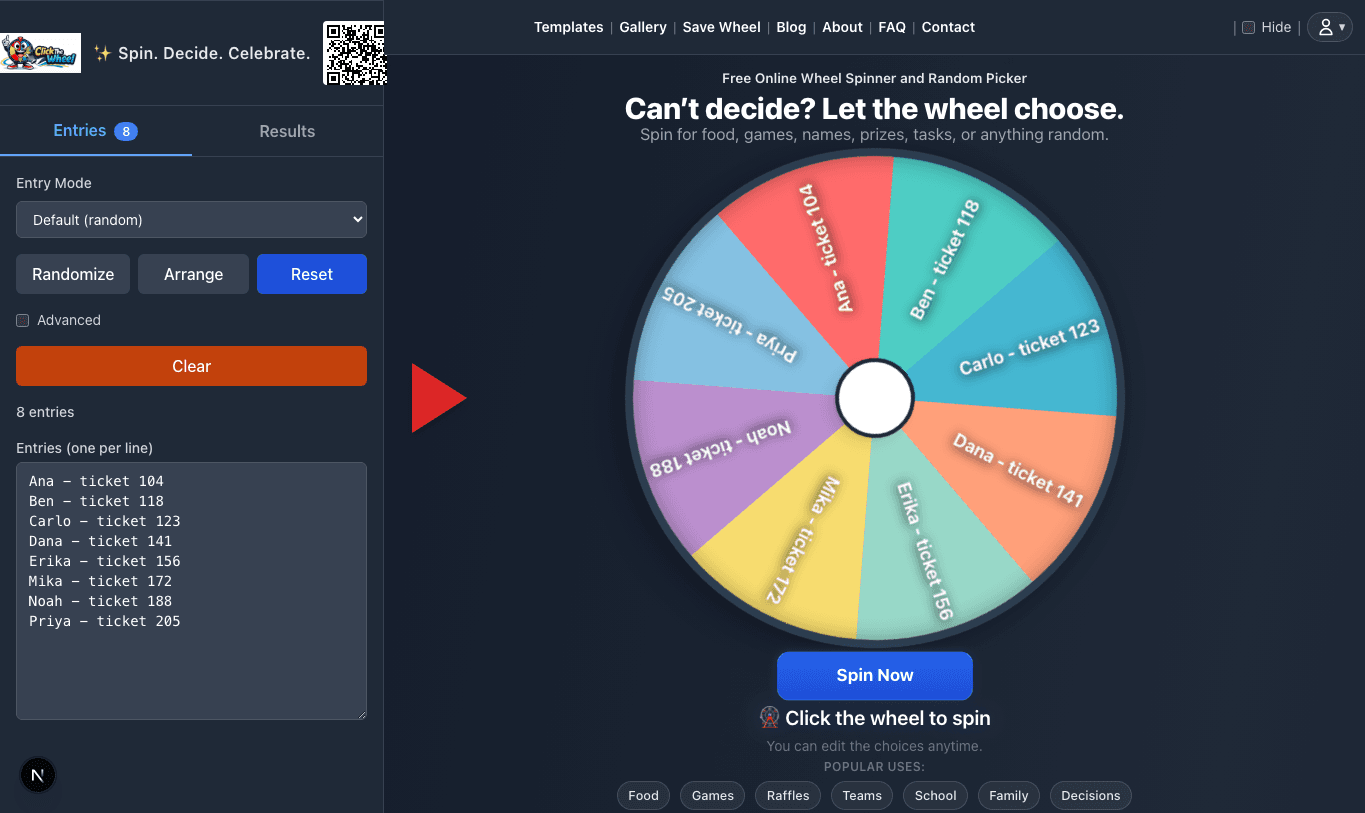
Prepare a clear list
The main wheel starts with a visible entry list, so a host can catch the boring mistakes first: a copied spreadsheet header, a closed restaurant, a duplicate ticket, or a student who is absent.
About ClickTheWheel
ClickTheWheel is a free online wheel spinner and random picker for moments when the choices are already acceptable, but the group wants the final pick to be visible. That might be a teacher choosing the next reader, a host drawing ticket 027, a team setting demo order, or a family finally choosing dinner.
Product in practice
ClickTheWheel is not just a decorative spinning animation. The useful part is the full workflow: prepare a list, make the random choice visible, then handle the selected result in the way you said you would.
The main wheel starts with a visible entry list, so a host can catch the boring mistakes first: a copied spreadsheet header, a closed restaurant, a duplicate ticket, or a student who is absent.
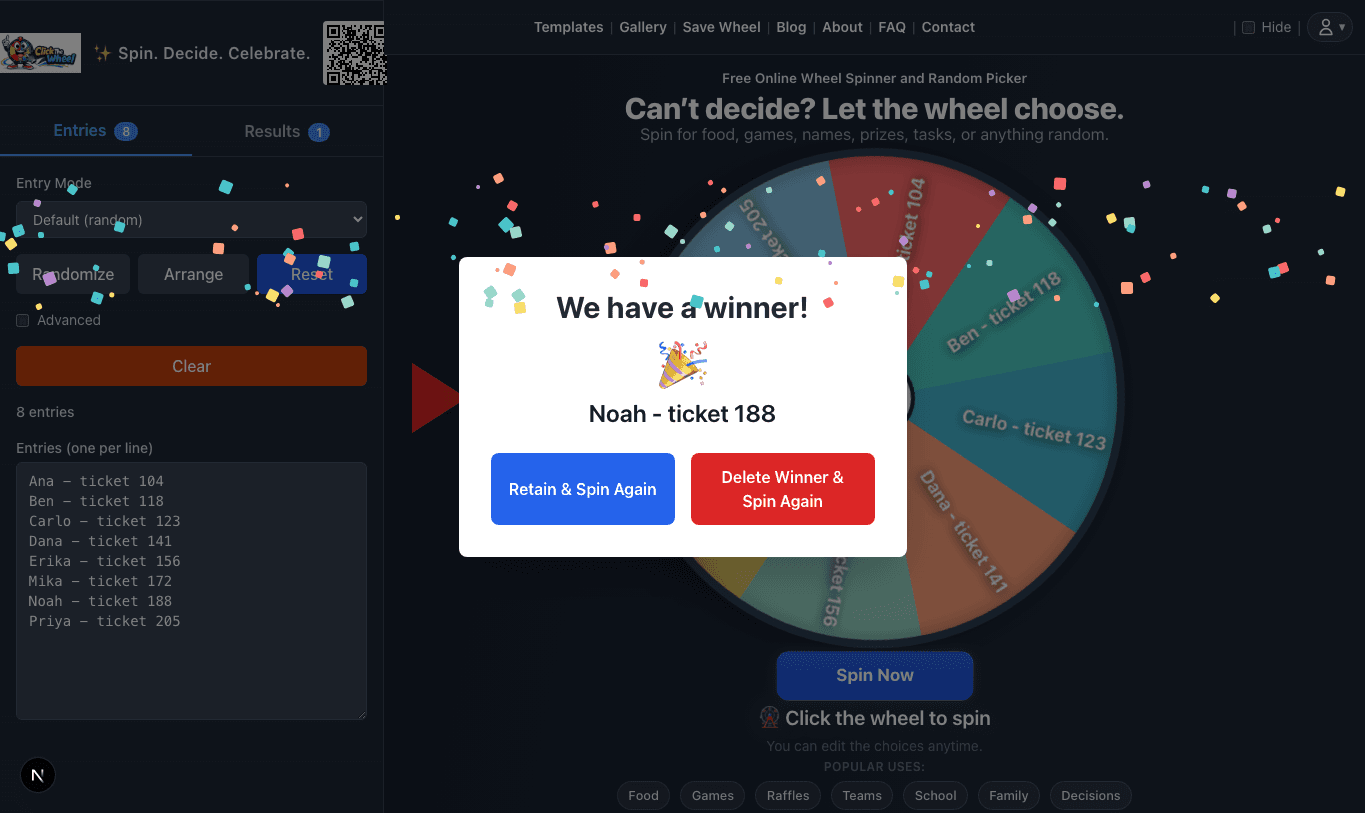
The result is shown in a large modal so people in the back of a classroom, on a shared call, or watching a small event stream can read the same selected entry.
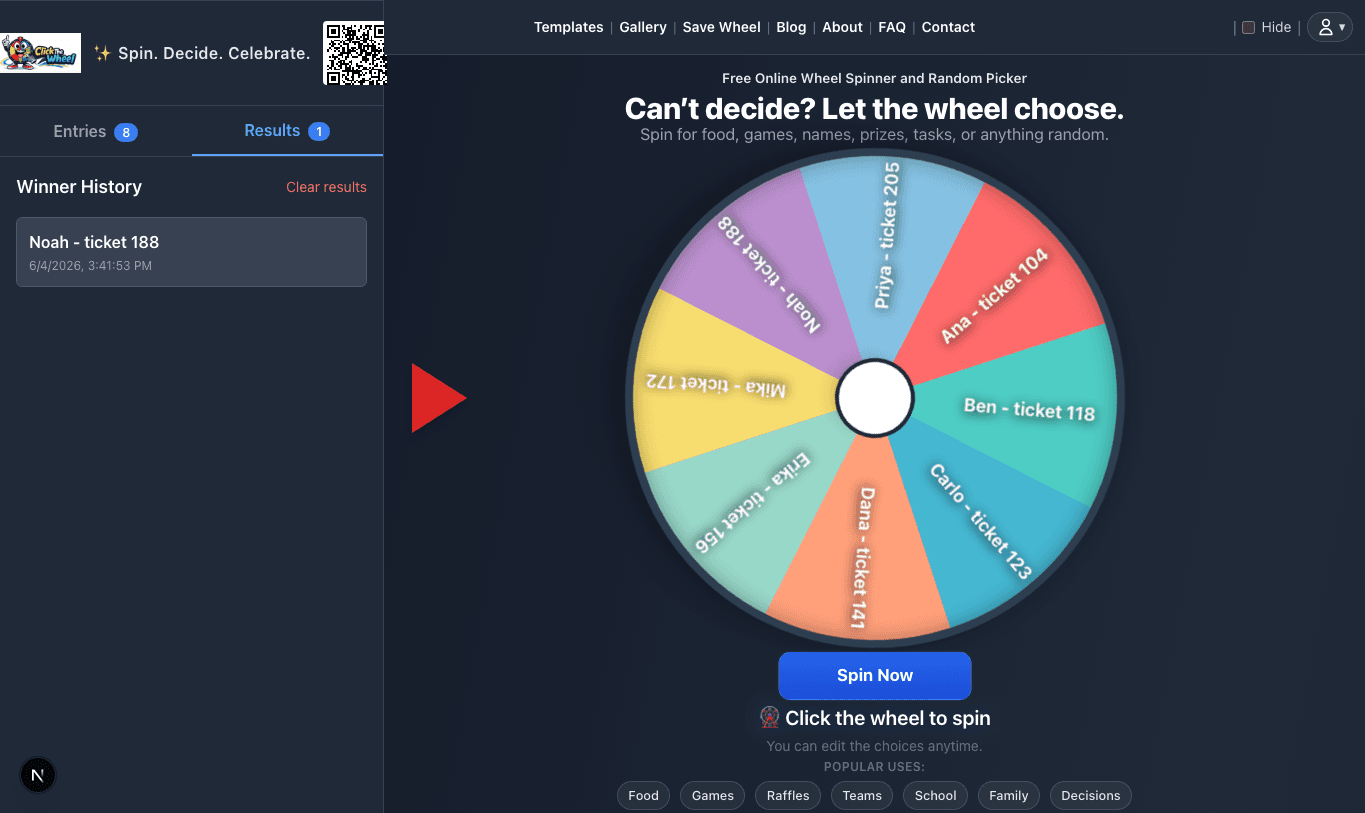
Result history helps when someone asks, "Who already went?" or "Which ticket won prize two?" It is a small record for moments where memory is not enough.
Many decisions are not worth a long debate, but they still feel better when everyone can see the process. A spinning wheel gives people a shared moment: the options are visible, the result is clear, and the decision feels easier to accept.
The goal of ClickTheWheel is to make that experience low-friction without making it careless. You can open the site, add one entry per line, spin, and use the result without installing an app or creating an account.
A spin is only useful when the list is understandable. ClickTheWheel encourages users to check entries, remove invalid choices, and explain duplicate rules before the wheel moves.
The site focuses on ordinary workflows: paste entries, check the list, spin, read the result, remove or keep the selected item, and save or share only when that helps the next real session.
Guides, FAQs, and examples explain how to handle real details: deduping giveaway entries, using safe student labels, recording a public draw, or deciding what a Yes/No spin actually means.
The wheel is designed to pick from the entries you provide. For serious giveaways, we recommend preparing a clean entry list, removing duplicates when duplicates are not intended, stating the rules before the spin, and recording the draw when proof matters.
A random picker is most helpful when every listed option is already acceptable. The wheel should make the final choice clearer, not hide missing rules or replace human judgment.
A teacher can paste a roster, spin for a discussion turn, remove the selected student, and continue until everyone has had a chance. If the room feels nervous, the teacher can spin for seat numbers, table groups, review questions, vocabulary words, or brain breaks instead of individual names.
Teams use wheels for meeting order, demo order, retro prompts, small office raffles, and rotating light responsibilities. It is useful for harmless choices that otherwise get decided by whoever speaks first.
For public draws, hosts can clean an entry list, show the final count, screen-record the spin, and keep the result history. That makes the draw easier to explain to sponsors, viewers, and participants later.
A good picker is not just a dramatic animation. The list should be easy to inspect, entries should be readable, and the person running the spin should know what happens after a result appears. ClickTheWheel is built around those ordinary details: one entry per line, clear result display, repeat handling, saved wheels for recurring use, and help pages that explain how to prepare lists before the moment matters.
We also try to separate playful decisions from serious ones. A wheel is great for choosing dinner, a meeting prompt, or a raffle winner from a verified list. It should not replace judgment for sensitive decisions such as hiring, discipline, medical choices, or anything where context matters more than randomness.
It is for teachers, creators, event hosts, families, teams, students, and anyone who needs a visible random picker for everyday choices.
Fairness starts with the entry list. Use consistent labels, remove invalid entries, explain duplicates, and record important draws when proof matters.
People often arrive with a real situation, not just a tool request. The guides explain how to use the wheel in classrooms, raffles, meetings, live sessions, and personal routines.
The wheel is the main product. The guides, examples, FAQ, and policy pages are there for the moments when a spin needs a little more care: a public giveaway, a classroom projector, a team raffle, or a saved wheel that might be reused later.
Guides and examples focus on real situations such as classrooms, raffles, meetings, meals, party games, and household decisions. A useful example should show the setup, sample entries, repeat rule, and the small announcement a host might say before spinning.
Privacy, terms, contact, FAQ, and support pages are linked from the site so you can check how ClickTheWheel works, what data may be stored, and how to report a problem or request a correction.
The wheel is best for choices where every listed outcome is acceptable. The site encourages users to remove invalid entries, explain duplicate rules, protect private data, and keep proof for important public draws.
ClickTheWheel is designed so basic wheel use works locally in your browser. Some optional features, such as saving wheels, live rooms, or public Gallery wheels, may use account or database services. We explain those details in the Privacy Policy and avoid using private wheel labels for analytics.
The site is operated as ClickTheWheel at clickthewheel.com. For questions, corrections, and support, visit the Contact page.
Different spins need different kinds of help. These pages are organized around the questions people usually have before they share a wheel, draw a winner, or save a list for later.
Use the Fair Draw Toolkit and Examples page to check entries, duplicates, winner removal, proof, and the words to say before the first spin.
Use How To and FAQ to decide whether to spin for names, groups, prompts, turns, or roles, and when to remove selected entries.
Use Privacy and Trust & Safety to choose safe labels, understand local storage, and avoid putting private details into public wheels.
Use Contact to send a bug report, privacy question, correction, or real situation where the guide could be clearer.