Teams & Groups

Volunteer Selector

Volunteer Selector is a starter wheel in the teams & groups category for turning a prepared list into one visible result. Starter entries include Student 1, Student 2, Student 3, and you can replace any item before spinning. Use it when the listed options are already acceptable and the group needs a clear, fair selection process.

Use this template →
30
Suggested entries
Fully editable
Free
No signup required

Suggested Starter Entries

Use these Volunteer Selector entries as a starting list. After you click “Use this template”, you can add, remove, or edit any entries before spinning.

Student 1
Student 2
Student 3
Student 4
Student 5
Student 6
Student 7
Student 8
Student 9
Student 10
Student 11
Student 12
Student 13
Student 14
Student 15
Student 16
Student 17
Student 18
Student 19
Student 20
Student 21
Student 22
Student 23
Student 24
Showing 24 of 30. You can view the full list after loading the template on the wheel.

When to use this wheel

Use Volunteer Selector when a meeting or team activity needs a neutral next step.

For Volunteer Selector, use it for speaker order, icebreakers, task ownership, kudos, workshop prompts, or team pairings.

For Volunteer Selector, use it when the team has already agreed that all listed outcomes are fair and appropriate.

Concrete setup

Real scenario for this template

Volunteer Selector is best when the entries are already acceptable and the group mainly needs a visible, neutral way to pick the next item.

Field notes

  • Use short labels that can be read on mobile and shared screens.
  • Remove invalid options before the first spin.
  • Write down the result when it affects other people.

When not to use it

  • Do not use the wheel when the listed options are not actually acceptable.
  • Do not randomize sensitive decisions that need judgment or expertise.
  • Do not keep duplicate entries unless weighting is intentional and explained.

Sample entries you can paste

These Volunteer Selector entries are meant as a starting point. Copy them into the wheel, then replace anything that does not fit your group or event.
  1. Student 1
  2. Student 2
  3. Student 3
  4. Student 4
  5. Student 5
  6. Student 6
  7. Student 7
  8. Student 8
  9. Student 9
  10. Student 10
  11. Student 11
  12. Student 12

How to customize this template

  1. Replace sample Volunteer Selector entries with the exact names, prompts, tasks, foods, prizes, or choices for your session.
  2. Keep labels short enough to read on the wheel, especially on mobile or when screen-sharing.
  3. Remove unavailable options, accidental duplicates, and anything you would not accept as the final result.
  4. Agree in advance whether the selected entry stays on the wheel or is removed before the next spin.

Related screenshots from the app

Volunteer Selector picker result
Keep the result visible before the group moves on.

Fairness checklist

  • For Volunteer Selector, confirm the participant list or task list before spinning.
  • For Volunteer Selector, do not include unavailable teammates unless they can actually take the result.
  • For Volunteer Selector, remove names after selection if the goal is even participation.
  • For Volunteer Selector, for recurring meetings, rotate or refresh entries so the wheel stays relevant.

Classroom, work, and event examples

Classroom

A facilitator can adapt Volunteer Selector for training rooms, cohort exercises, or group presentations.

Work

Use Volunteer Selector for standup order, demo presenters, task owners, retro prompts, or pairing partners.

Events

At a workshop or offsite, use Volunteer Selector for breakout prompts, activity order, or team challenges.

FAQ

What is Volunteer Selector best for?
Volunteer Selector is best for teams & groups situations where every listed option is acceptable and you want the final choice to be visible instead of hidden.
Can I edit the Volunteer Selector entries?
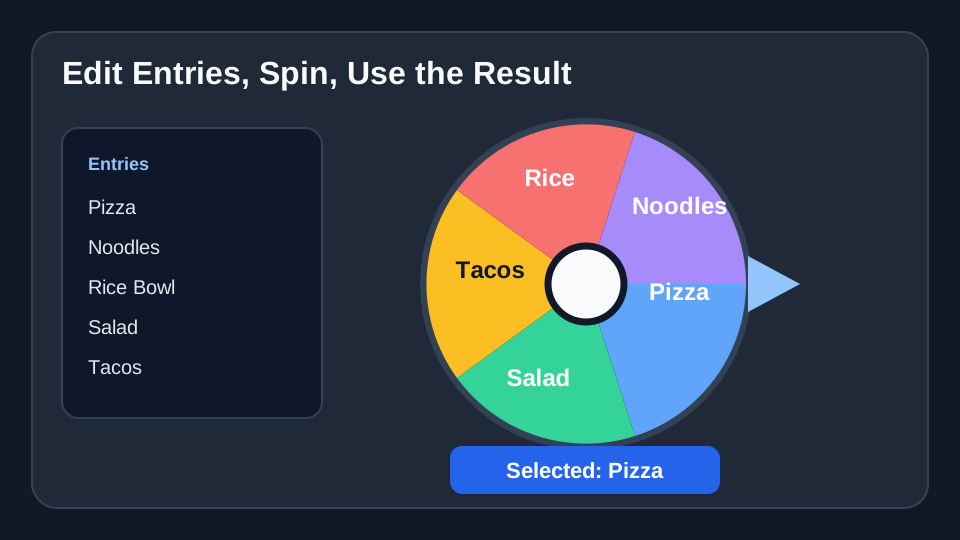
Yes. Load the starter wheel, then add, remove, rename, or reorder entries before you spin. Your edits apply to your current wheel session.
How many entries should I use?
Start with the 12 sample entries shown here, then trim or expand the list to match your real group, event, or decision.

Ready to spin?

Load the Volunteer Selector template, check the entries, and spin when the list is ready.

Use Volunteer Selector