Food & Dining

Cuisine Adventure

Cuisine Adventure is a starter wheel in the food & dining category for turning a prepared list into one visible result. Starter entries include Mango, Pineapple, Banana, and you can replace any item before spinning. Use it when the listed options are already acceptable and the group needs a clear, fair selection process.

Use this template →
8
Suggested entries
Fully editable
Free
No signup required

Suggested Starter Entries

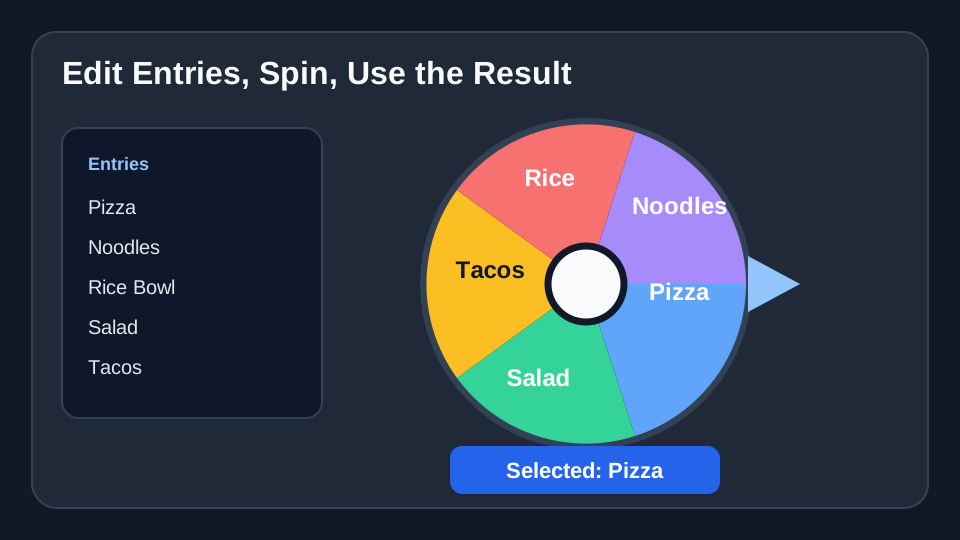
Use these Cuisine Adventure entries as a starting list. After you click “Use this template”, you can add, remove, or edit any entries before spinning.

Mango
Pineapple
Banana
Papaya
Coconut
Guava
Dragon fruit
Watermelon

When to use this wheel

Use Cuisine Adventure when the hard part is choosing from several acceptable options.

For Cuisine Adventure, use it for lunch choices, dinner ideas, activity picks, date plans, travel options, or quick tie-breakers.

For Cuisine Adventure, use it when a playful random choice is better than another round of debate.

Concrete setup

Real scenario for this template

A group is stuck choosing food, so the wheel contains only realistic options: open, affordable, nearby, and acceptable to dietary needs.

Field notes

  • Use categories like sushi, pasta, or rice bowls when the exact restaurant can be chosen later.
  • Allow one re-spin only if everyone agrees before the first spin.
  • Save the wheel for recurring lunch or family dinner decisions.

When not to use it

  • Do not include closed restaurants or food no one can actually eat.
  • Do not spin before budget, delivery time, and dietary constraints are known.
  • Do not add new options after the first result unless that was the rule.

Sample entries you can paste

These Cuisine Adventure entries are meant as a starting point. Copy them into the wheel, then replace anything that does not fit your group or event.
  1. Mango
  2. Pineapple
  3. Banana
  4. Papaya
  5. Coconut
  6. Guava
  7. Dragon fruit
  8. Watermelon

How to customize this template

  1. Replace sample Cuisine Adventure entries with the exact names, prompts, tasks, foods, prizes, or choices for your session.
  2. Keep labels short enough to read on the wheel, especially on mobile or when screen-sharing.
  3. Remove unavailable options, accidental duplicates, and anything you would not accept as the final result.
  4. Agree in advance whether the selected entry stays on the wheel or is removed before the next spin.

Related screenshots from the app

Cuisine Adventure food picker result
A clear result ends the decision loop faster than another vote.

Fairness checklist

  • For Cuisine Adventure, only list options that the group is genuinely willing to accept.
  • For Cuisine Adventure, remove options that are unavailable, closed, too expensive, or unrealistic today.
  • For Cuisine Adventure, avoid duplicate entries unless the group agrees to weighted odds.
  • For Cuisine Adventure, allow one re-spin only if you set that rule before the first spin.

Classroom, work, and event examples

Classroom

A class can adapt Cuisine Adventure for reward choices, brain breaks, or group activity options.

Work

A team can use Cuisine Adventure for lunch picks, social activities, meeting warmups, or quick tie-breakers.

Events

A host can use Cuisine Adventure for party food, game order, date night ideas, or travel activity choices.

FAQ

What is Cuisine Adventure best for?
Cuisine Adventure is best for food & dining situations where every listed option is acceptable and you want the final choice to be visible instead of hidden.
Can I edit the Cuisine Adventure entries?
Yes. Load the starter wheel, then add, remove, rename, or reorder entries before you spin. Your edits apply to your current wheel session.
How many entries should I use?
Start with the 8 sample entries shown here, then trim or expand the list to match your real group, event, or decision.

Ready to spin?

Load the Cuisine Adventure template, check the entries, and spin when the list is ready.

Use Cuisine Adventure