Entertainment

Book Genre / Mood Picker

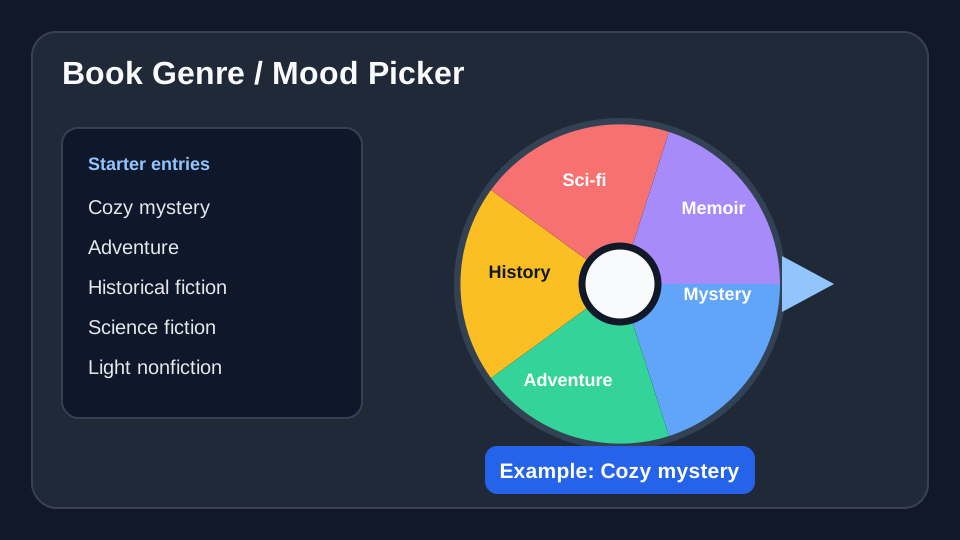
Book Genre / Mood Picker helps a reader or book club choose one reading direction from a prepared list of acceptable genres or moods. Starter entries include Cozy mystery, Adventure, Historical fiction, and you can replace any item before spinning. Check availability, format, content, and accessibility needs before spinning.

Use this template →
8
Suggested entries
✓
Fully editable
Free
No signup required

Suggested Starter Entries

Use these Book Genre / Mood Picker entries as a starting list. After you click “Use this template”, you can add, remove, or edit any entries before spinning.

•
Cozy mystery
•
Adventure
•
Historical fiction
•
Science fiction
•
Fantasy
•
Memoir
•
Short stories
•
Light nonfiction

When to use this wheel

For Book Genre / Mood Picker, use this wheel when a reader or book club has several acceptable genres, moods, or available titles and wants one clear starting point.

For Book Genre / Mood Picker, use one wheel for one decision: choose a genre, a reading mood, a book length, or a shortlist of actual titles.

For Book Genre / Mood Picker, use it after removing books that do not fit the reader's age, language, format, content, or accessibility needs.

Concrete setup

Real scenario for this template

A reader wants to choose the mood of the next book before browsing a shelf or library catalog, so the wheel contains reading moods and genres that are genuinely available today.

Field notes

  • Choose one dimension per wheel: genre, mood, length, or a shortlist of available titles.
  • For a short reading window, remove long-book options before spinning.
  • After choosing a mood or genre, browse only matching books instead of mixing a second decision into the same wheel.

When not to use it

  • Do not include genres the reader already knows they will reject.
  • Do not use the wheel to ignore age, content, language, or accessibility needs.
  • Do not add unavailable books as if the spin can make them immediately readable.

Sample entries you can paste

These Book Genre / Mood Picker entries are meant as a starting point. Copy them into the wheel, then replace anything that does not fit your group or event.
  1. Cozy mystery
  2. Adventure
  3. Historical fiction
  4. Science fiction
  5. Fantasy
  6. Memoir
  7. Short stories
  8. Light nonfiction

How to customize this template

  1. Choose one decision type: genre, reading mood, length, or a shortlist of available titles.
  2. Replace the starter entries with choices that match the reader's age, language, preferred format, and content boundaries.
  3. Remove books or categories that are unavailable through the reader's shelf, library, or chosen service.
  4. Decide before spinning whether one re-spin is allowed and whether a previously selected choice stays on the wheel.

Example setups and app screenshots

Illustrative Book Genre / Mood Picker setup with reading moods and genres
Illustrative setup: use the selected mood or genre as a focused filter for books that are actually available.

Fairness checklist

  • For Book Genre / Mood Picker, include only genres, moods, or titles the reader is genuinely willing and able to choose.
  • For Book Genre / Mood Picker, remove unavailable books and accidental duplicate entries before spinning.
  • For Book Genre / Mood Picker, for a book club, agree before the spin whether a previously chosen title stays eligible next time.
  • For Book Genre / Mood Picker, treat the result as a reading filter, not as permission to ignore content or accessibility needs.

Practical examples

Reading lesson

A teacher can spin among age-appropriate genres, reading moods, or a preapproved classroom-library shortlist.

Book club

A book club can choose its next genre first, then shortlist titles that every member can obtain in a suitable format.

Book exchange

A book exchange can use a wheel of clearly labeled genres to choose the order in which themed tables are explored.

FAQ

What is Book Genre / Mood Picker best for?
It is best for choosing a reading direction—such as genre or mood—after the reader or book club has removed choices that are unavailable or unsuitable.
Should I put genres, moods, and book titles on the same wheel?
Usually no. Pick one decision type per wheel so the result is clear, then use that result to browse an available shortlist.
Can I edit the starter entries?
Yes. Load the wheel, then add, remove, rename, or reorder entries so they match the reader, library access, and current reading window.

Ready to spin?

Load the Book Genre / Mood Picker template, check the entries, and spin when the list is ready.

Use Book Genre / Mood Picker →