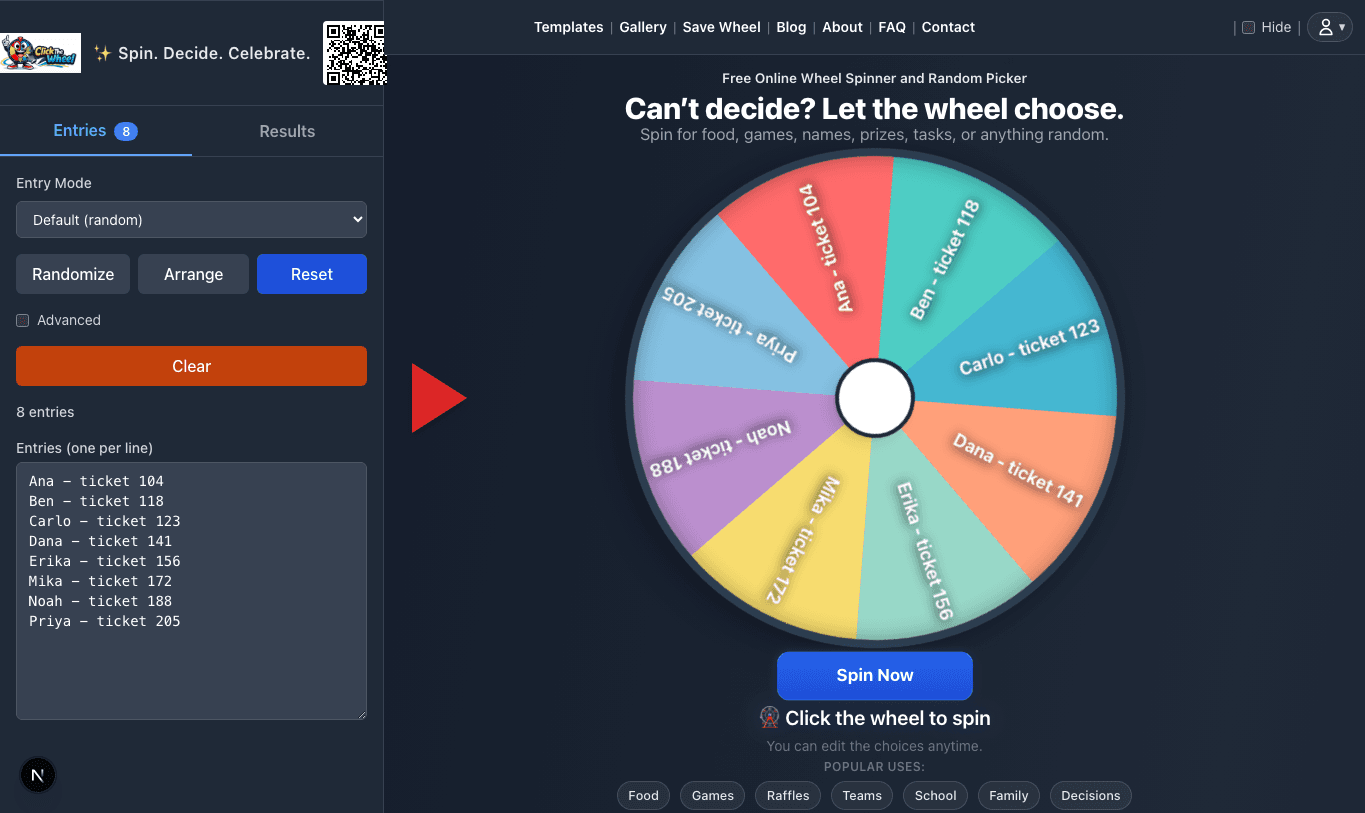
Show the final list
Capture the wheel and entry count before spinning. This is where copied headers, late entries, and duplicate usernames should already be settled.
Fair giveaway & raffle toolkit
This toolkit is for giveaways, raffles, classroom rewards, prize wheels, and public draws where people may ask how the winner was chosen. Use it before loading entries into ClickTheWheel.
Paste usernames, ticket numbers, names, or IDs one per line. The cleaner trims spaces, removes blank lines, and shows duplicates using a case-insensitive check.
1 blank line(s) ignored.
Use this before a prize draw, stream giveaway, classroom reward, office raffle, or community event.
Checklist progress: 2 of 8
Fill this in during the draw, then export a CSV for your records.
| Prize | Order | Winner | Backup | Claimed | Proof note | |
|---|---|---|---|---|---|---|
Rules before the wheel
Most draw disputes start before the wheel spins. Use these decisions to make the list, announcement, and result easier to explain.
| Decision | Settle Before Spinning | Say Out Loud | Avoid |
|---|---|---|---|
| Who is eligible? | Decide the exact cutoff: purchase window, comment deadline, attendance rule, ticket range, or classroom reward rule. | Only entries that met the rule before the cutoff are on this wheel. | Adding late entries after people have already seen the final count. |
| Do duplicates count? | Choose one-entry-per-person, one-entry-per-ticket, or weighted entries before cleanup starts. | Duplicates were removed unless the posted rule allowed bonus entries. | Letting accidental copied rows become extra chances. |
| Can one person win twice? | Decide whether winners are removed after each prize, especially when prizes have different value. | Each winner will be removed before the next prize so one entry cannot win twice. | Changing the repeat rule after seeing the first winner. |
| What if the winner cannot claim? | Set a claim window and backup-winner rule before the first spin. | If the selected winner cannot claim in time, we will draw one backup from the remaining list. | Improvising a backup rule after a winner does not respond. |
| What labels are safe on screen? | Replace private emails, addresses, payment names, or student records with public usernames, ticket IDs, or first names. | The wheel uses public-safe labels so private claim details stay off screen. | Showing personal data just to make the draw look more complete. |
A proof trail does not need to be complicated. For most low-stakes draws, capture the final list, the selected winner, and the result history. For public prizes, keep the original source list too.
Capture the wheel and entry count before spinning. This is where copied headers, late entries, and duplicate usernames should already be settled.
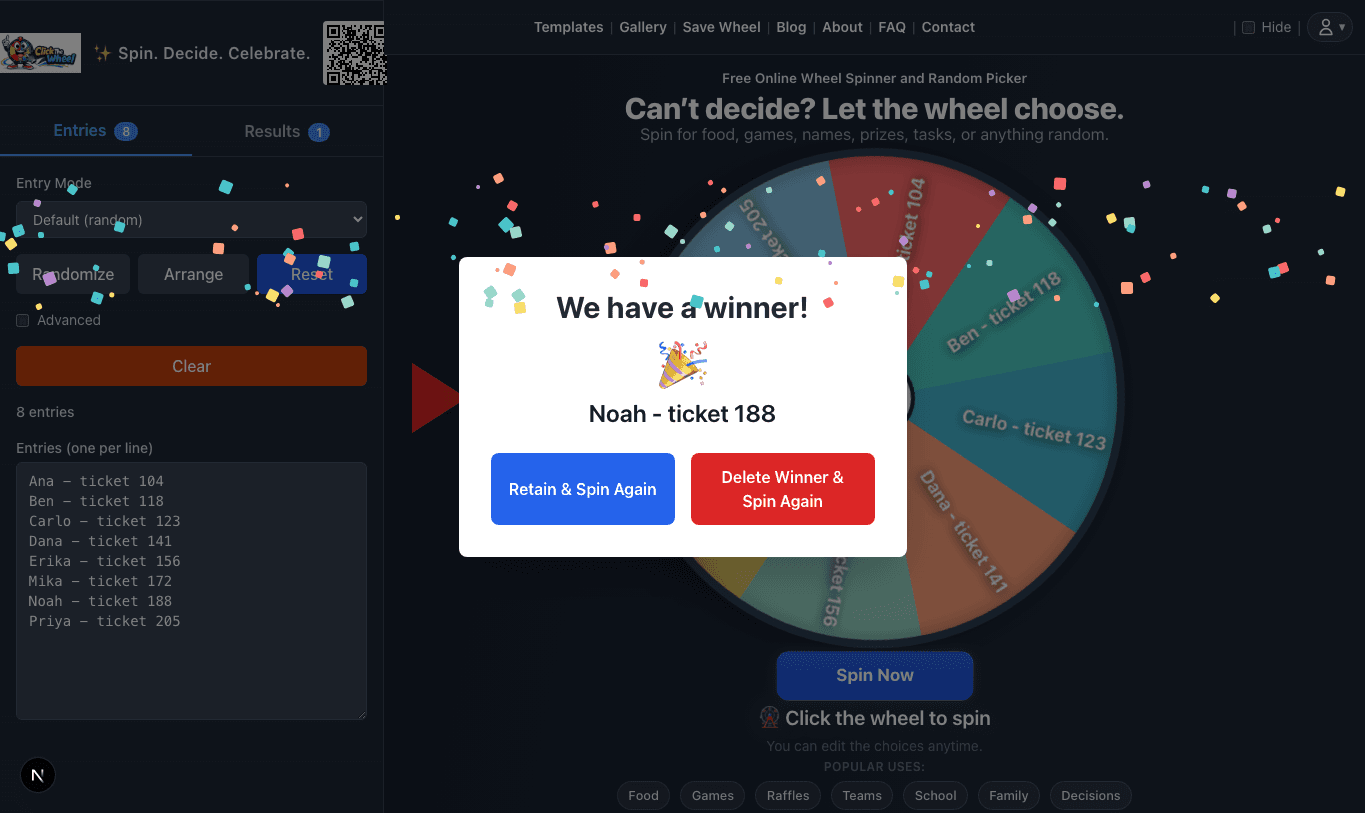
Screenshot or record the winner modal so the selected entry is visible, readable, and tied to the actual spin.
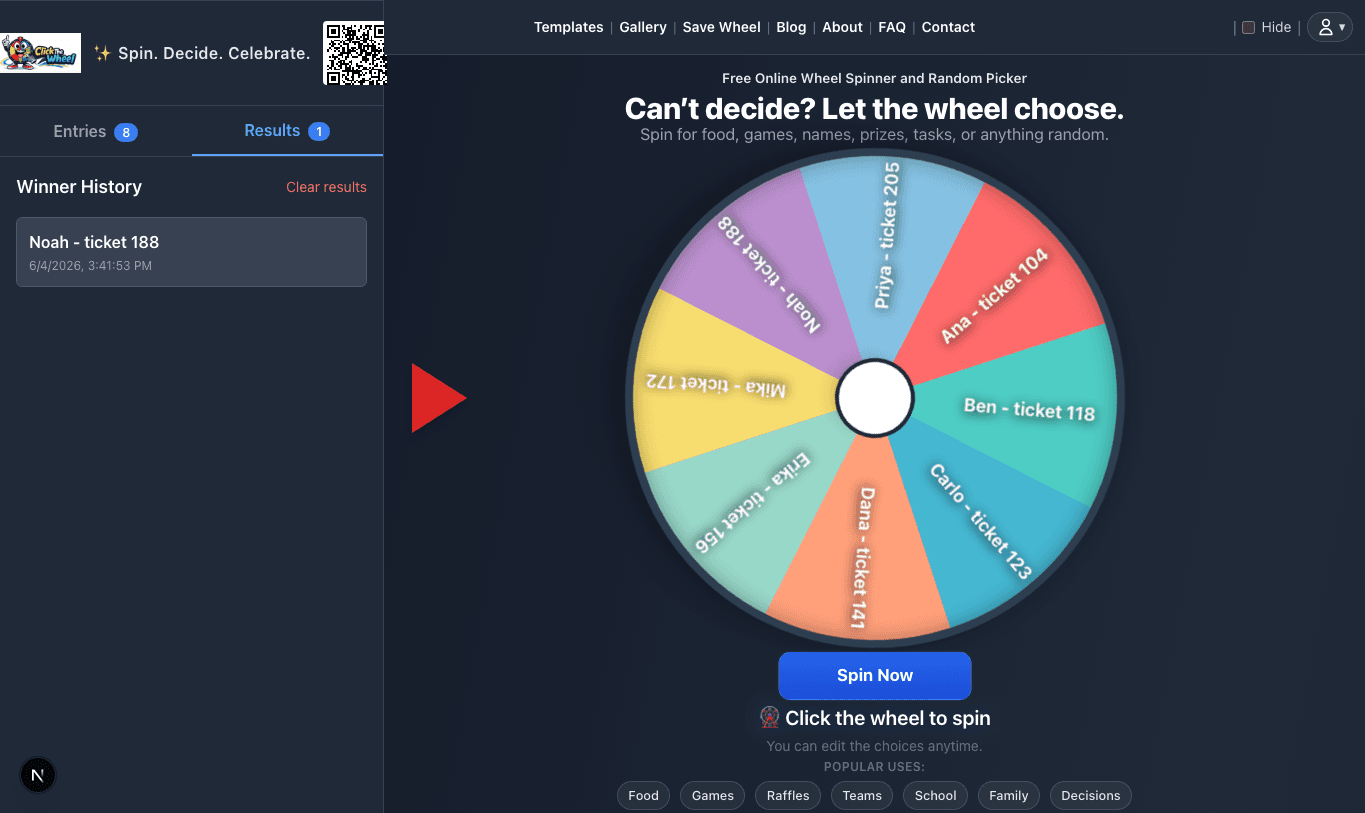
Use result history as a proof trail for multiple prizes, backup winners, classroom reward draws, and later questions.
Export or copy eligible usernames, remove late entries, remove spam comments, dedupe according to the posted rules, then load the cleaned list into the wheel. Use public usernames instead of private emails or addresses.
Draw the largest prize first if that is what you announced, remove each winner after selection, and write the prize name beside each result in the winner log.
Use first names, initials, table groups, or ticket numbers. Avoid displaying grades, behavior notes, full student records, or private parent contact details on the projector.
Draw packet
A strong draw is not only the spin. It is the small trail around the spin: where entries came from, what was removed, what rule was announced, and what result was shown. This packet is what makes a public draw easier to answer if someone asks a fair question later.
Keep the original source where entries came from: a Google Form response sheet, exported comments, ticket ledger, sign-in list, or classroom reward list.
Write down what changed before the spin: removed duplicate usernames, deleted test rows, excluded late entries, or replaced private emails with public ticket numbers.
Show or screenshot the final number of entries before spinning. If the source list has 480 rows and the cleaned wheel has 462 entries, explain why.
Prepare one sentence that explains the rule before the wheel moves: whether winners are removed, whether duplicates count, and what happens if a winner cannot claim.
Record each selected result beside the prize, turn, role, or reward. For multi-prize draws, include the order of prizes before the first spin.
Save screenshots or a short recording only when trust matters. A family dinner wheel does not need proof; a sponsor giveaway probably does.
After cleaning entries and checking duplicate rules, paste the final list into ClickTheWheel. Do not edit the public draw list after participants have seen the final count unless you pause and explain exactly why.
Open the wheel spinner