The first warm-up question is on the screen. Drew asks to pass. You want to keep the discussion moving and give Drew a way back in when ready.
Facilitator gives the host two controls for that moment. Skip removes someone from the available names for the current round. Restore brings them back. Here’s how they worked in a fictional four-person test with Alex A, Bea B, Casey C and Drew D.
Before the question
Choose Classroom from Session plan, then select Apply plan. Enter one label per line under Participants or teams. The plan starts with Warm-up question, Explain your thinking and Exit reflection. You can replace a prompt before selecting Start this session.
The Classroom plan uses Everyone before repeats in all three rounds. In a round, an available person who has already been picked waits until a new cycle. When a new round starts, everyone gets a fresh chance.
Try saying this aloud. “You can pass. Tell me if you’d like to join again before we move on.”
When someone passes
In the warm-up, select Skip beside Drew D before using Choose participant. Drew’s row now says Temporarily skipped, with Restore in place of Skip. Casey C was selected in the test.
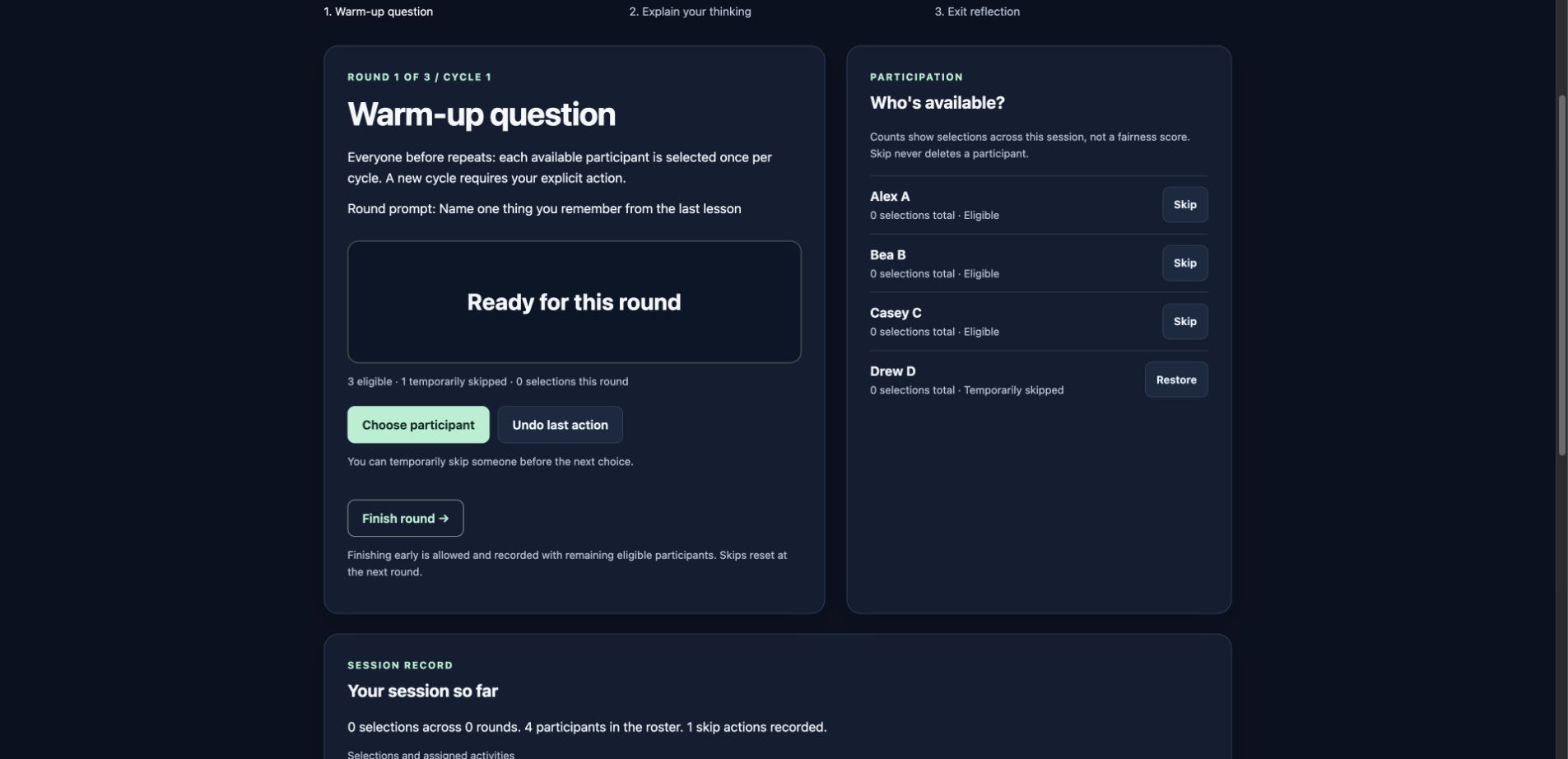
In the fictional warm-up, the host can leave Drew out of the next choice while keeping Drew in the roster. Open the full-size warm-up screenshot (opens in a new tab).
If Drew volunteers later in the warm-up, select Restore. If you finish the round first, the skip resets automatically. Check attendance again before drawing in the next round. This is useful when someone is away for more than one activity.
The test picked Casey once in each of the three rounds. That is possible because Everyone before repeats applies within each round and cycle. If you need everyone to speak before moving on, use the available turns in the current round before selecting Finish round.
Keep one useful note
After Casey’s explanation in round two, select Add outcome note, write the next teaching action, then select Save note. The fictional note was “Next lesson: try another fraction example.” A short follow-up is easier to reuse than a transcript, especially when the screen is projected.
After Finish session and review, open Preview recap text. Check the labels and notes before choosing how to keep them.
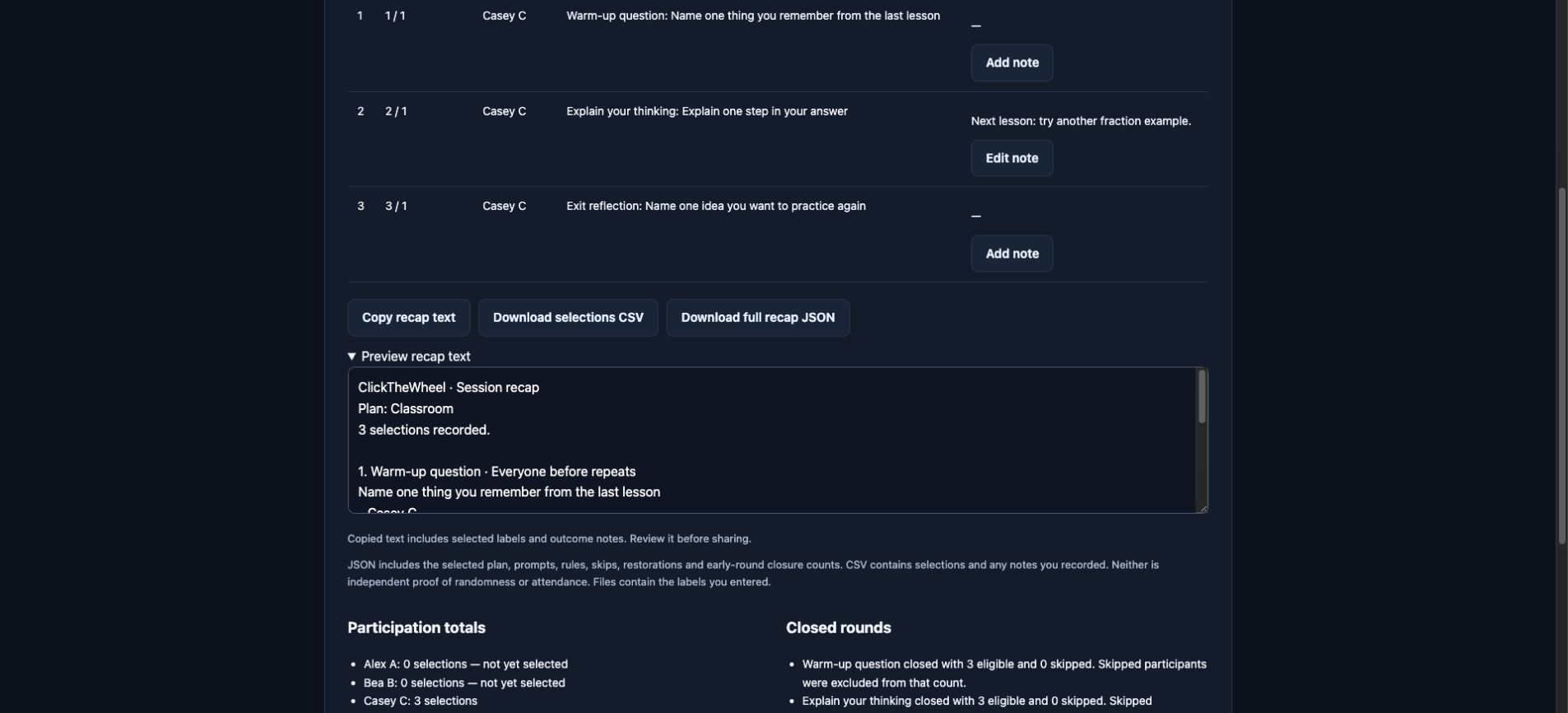
The test recap ties the fraction example to Explain your thinking. The note records what to revisit next lesson. Open the full-size recap screenshot (opens in a new tab).
Use Copy recap text for a readable handoff or Download selections CSV for selections and notes in a spreadsheet. Use Download full recap JSON if you also need skip, restore and round details. Facilitator keeps the session in the host’s tab. Save a copy before reloading or leaving. The separate seven-day saved wheel results do not store a Facilitator session.
Practice the full Classroom setup when you want a dry run before hosting a group.